Paperless waiver signing
Electronic Waiver
Replace paper waivers with online signing and searchable records.
Definition
What is an electronic waiver?
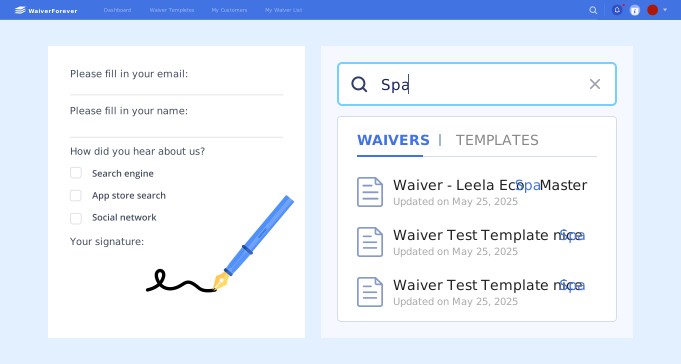
An electronic waiver is a waiver that a customer reviews, completes, and signs digitally instead of filling out a paper document. For a business, the real advantage is the complete workflow: share the waiver, collect the signature, and find the record later.
Link or QR code
Customers open the waiver on their own device or at your location.
Online form fields
Required fields help collect consistent customer information.
Electronic signature
The customer signs electronically as part of the form.
Searchable records
Completed waivers are stored for staff to retrieve later.
Term guide
Electronic waiver vs online waiver vs electronic waiver form
Searchers use these terms in slightly different ways. The best page depends on whether they want a definition, a form, or a complete software workflow.
Paperless workflow
Electronic waiver vs paper waiver
Replace paper handoffs with a searchable signing process.
Signs only where paper is available.
Link, QR code, or kiosk.
Prints, files, scans, and sorts manually.
Searches completed records online.
Each location may manage forms differently.
Reusable approved forms and consistent fields.
Workflow checklist
What an electronic waiver workflow needs
A useful electronic waiver workflow should support the customer signing moment and the staff process that happens after the waiver is submitted.
- 1. A form customers can open on phone, tablet, or desktop.
- 2. Required fields for customer details and activity context.
- 3. Clear acknowledgment and consent fields.
- 4. Electronic signature and signed date.
- 5. QR code, link, or kiosk access for different signing moments.
- 6. Searchable storage for completed waiver records.
- 7. Reusable templates for staff and locations.
- 8. A path to convert existing PDF waivers into online forms.
Use cases
When electronic waivers make sense
High-volume check-in
Classes, sessions, events, and rentals where many people sign similar waivers.
Pre-visit signing
Appointments where customers should complete forms before arriving.
Multiple locations
Businesses that need consistent waiver versions and searchable records.
Mobile customers
Visitors who expect to sign on a phone instead of filling out paper.
Record requests
Teams that need to find a signed waiver quickly by customer or date.
PDF replacement
Businesses with existing waiver PDFs that should become online forms.
FAQ