Create a waiver customers can finish
Online Waiver Form
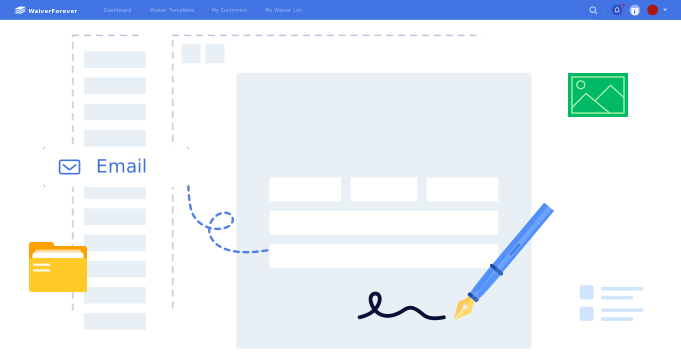
Create a waiver customers can complete and sign from any device.
Form checklist
What should an online waiver form include?
An online waiver form should collect the information your staff needs before a customer signs, while keeping the signing experience simple on phone, tablet, or desktop.
- 1. Customer name and contact information.
- 2. Activity, appointment, service, or location details.
- 3. Waiver and release language your business has approved.
- 4. Required risk acknowledgment checkboxes.
- 5. Health, eligibility, or consent questions when relevant.
- 6. Minor or guardian fields when the signer is under age.
- 7. Emergency contact fields for higher-risk activities.
- 8. Optional photo, media, or marketing consent when needed.
- 9. Electronic signature and signed date.
- 10. Searchable storage for signed waiver records.
Start faster
Three ways to create an online waiver form
Use a waiver template
Start from a common industry form and adjust the fields for your business.
Browse templatesGenerate a draft
Create a first draft for your industry, then edit the wording and fields before publishing.
Open generatorUpload an existing waiver
Convert a PDF waiver into an interactive online form your customers can complete.
Convert a PDFSharing
Share the form before or during the visit
Use the same online waiver form across appointment reminders, front-desk QR codes, tablet check-in, and staff workflows.

Send before arrival
Share a link with customers before an appointment, class, rental, or session.

Post a QR code
Let walk-in customers open the waiver from their own phone.

Use a kiosk
Keep a tablet at the front desk for customers who need to sign on site.


Industry examples
Online waiver form examples by industry
Different service businesses need different fields, but the online signing workflow stays the same: open the form, complete required information, sign, and store the record.

Fitness waiver form
Useful for gyms, personal trainers, yoga studios, and group fitness classes.
Create fitness waiversTattoo consent form
Often includes health disclosure, ID verification, aftercare acknowledgment, and signature fields.
Create tattoo waiversEvent waiver form
Helps organizers collect participant details, risk acknowledgment, and emergency contacts.
Create event waiversSpa or beauty waiver form
Can collect service consent, allergies, contraindications, and treatment acknowledgment.
Create spa waiversRental waiver form
Can cover customer details, equipment use, responsibility acknowledgment, and signed agreement.
Create rental waiversCamp or activity waiver form
Often needs guardian information, medical notes, emergency contacts, and activity consent.
Create camp waiversComparison
Online waiver form vs paper waiver vs PDF waiver
Many businesses start with paper or PDFs. An online waiver form is the step that makes the waiver easier to complete, share, and find later.
FAQ